Coming This Summer - Major Upgrades to Custom Typing Training
New Features for Everyone:
- A new, easier to remember, web address. After the upgrade you can log in at TypingTraining.com.
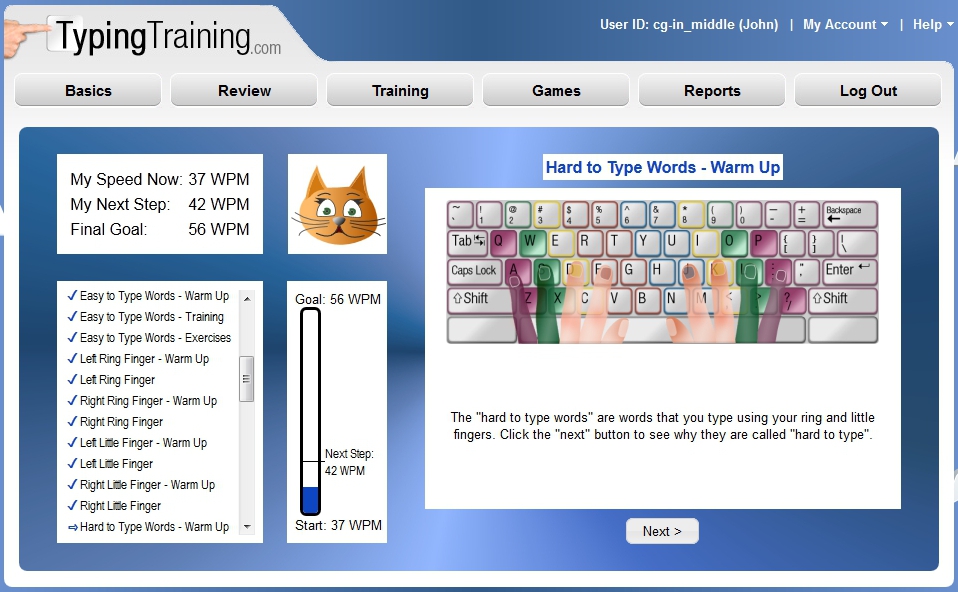
- A major overhaul and modernization of the user interface. This will include an improved look and feel, easier navigation, and greater consistency. (See Examples)
- Support for mobile devices. Teachers and administrators will be able to manage student accounts and generate reports from a smartphone, iPad, or Android tablet. Students will be able to use an iPad or Android tablet for their training (using an external keyboard).
New Features to Enhance Learning:
- Options to include rhythm and sound effects in the training modules to enhance the learning experience. (See Samples)
- Students will be able to generate reports from the computer-guided mode (without having to switch to self-guided mode first).
- Students will have access to reports showing how much time they have spent on the web site, along with a list of activities completed.
- The computer-guide mode now includes a review option, making it much easier to revisit activities that have already been completed.
- Additional help and guidance is now offered in the self-guided mode, making it easier to decide what activities to work on next.
- The animated coaches now appear more often in the computer-guided mode.
- Additional support in the computer-guided mode to prevent students from getting stuck on an activity.
- New instructional videos. (View Sample)
Game Enhancements:
- Trivia Challenge now includes questions for all ages, including children and teens.
- The Goalie game has been updated to include words more commonly typed.
- Meteor Storm now includes an option to specify the game length in practice mode.
New Features for Teachers and Administrators:
- An option to specify free-typing exercises in which students can type anything they want and have their speed measured. A topic for these is chosen by the teacher or administrator.
- Faster response times when viewing and editing large numbers of students.
- Ability to upload a spreadsheet containing changes to your student list - not just additions. For schools, this will make yearly updates to the student list far easier.
- Ability to download reports as a PDF file or Excel spreadsheet.
- Owners of master administrator accounts can view and edit all students in all administrator accounts.
- An option to make assignments optional, giving students the freedom to explore other parts of the web site even when they have assignments.
- A simplified and flexible pricing structure, including the ability to purchase access time in 1 month increments and user accounts in sets of 10.
- Discounts for organizations that can order online using a credit or debit card.
When will the upgrade be available, and is there a cost?
The upgrade will be installed in the summer of 2013 before the start of the new school year. All customers will receive this automatically at no cost.
Will there be any downtime during the upgrade?
1 to 2 days of downtime will be required. This will occur on a weekend in the summer in order to minimize impact to our customers. We will send out a broadcast email prior to the downtime and also post the date on the CustomTyping.com login page.
What are the new system requirements?
Windows XP users: We highly recommend making sure you have an up-to-date copy of Firefox or Chrome installed on your systems. Internet Explorer 8 (the latest for XP) will not support the animated talking coaches. It also cannot display some of the new visual effects and animations.
Windows Vista users: We recommend making sure you are using Internet Explorer 9 (the latest for Vista) or an up-to-date version of Firefox or Chrome.
Windows 7, 8, and RT: No updates are needed.
Mac OS: Make sure you are using Safari 5.0.5 or later, or an up-to-date copy of Firefox or Chrome. If you are using Mac OS 10.5 ("Leopard") or later then you most likely meet the Safari requirement.
iPhones and iPads: Students will have the best experience on iOS 6 or later. Administrators can use iOS 5 and up.
Android: Students and administrators will need Android 4.0 or later. Some Android devices will provide a better experience if the free Chrome browser is installed from Google Play.
An external keyboard is required for students to use the site on tablet devices.